 Mills Super Mail
Know the moment they read it.
Mills Super Mail puts every Gmail and Google Workspace account in one inbox, and tells you on your phone when someone opens your email or clicks your link.
Works on Mac, iPhone and the web. Sign in with Google, no card needed to try it.

Your Gmail, with the part Gmail leaves out.
Keep using Gmail and Google Workspace. Mills Super Mail sits on top, reads your mail straight from Google, and adds what you need to follow up at the right time.
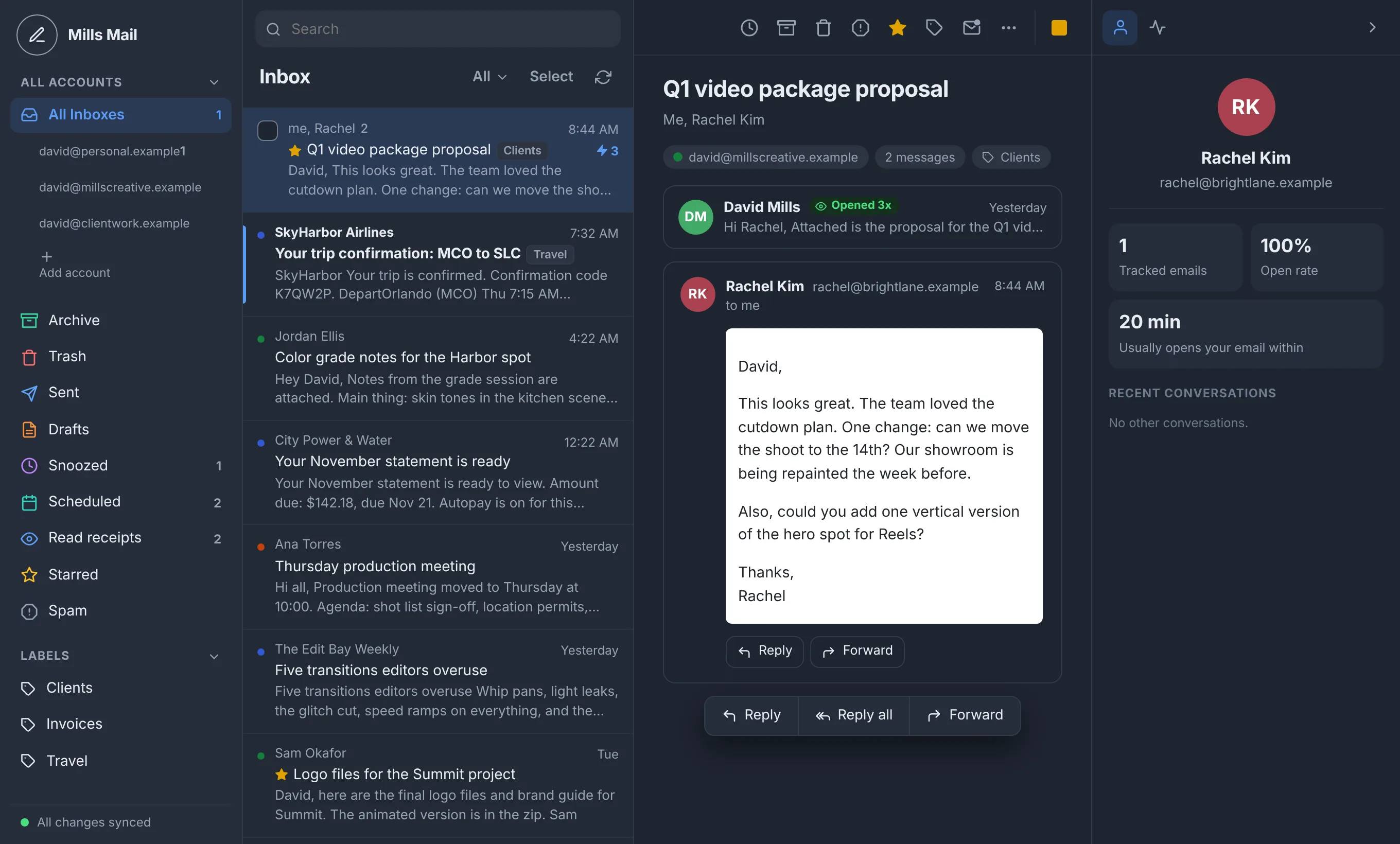
See every open and every click
Turn on a read receipt as you write, or leave it on for everything. You see when each email was opened, how many times, and which links were clicked. Opens from spam scanners and Apple's privacy proxy are marked so you know which ones were really a person.
- Sent to Rachel KimMonday, 4:12 PM
- Opened on iPhoneMonday, 4:31 PM
- Clicked the proposal linkMonday, 4:33 PM
- Opened again on a MacTuesday, 9:02 AM
Alerts that reach your lock screen
When someone opens your email, your iPhone tells you right away, even with the app closed. New mail shows who it is from, the subject and the first line. Promotions and social mail stay quiet.
One inbox for every account
Add your personal Gmail and each work address. Read them together or one at a time, and reply from the right account with its own signature. Swipe on iPhone, or use the trackpad on a Mac, to archive and delete.
Send later
Write now and pick when it goes out. It sends on time even if your laptop is closed.
Remind me if no reply
Choose a date. If nobody answers by then, the email comes back to the top of your inbox.
Snooze
Hide an email until tomorrow morning, next week, or the time you choose.
Undo send
A few seconds to take back an email after you press Send.
Templates
Save the emails you write over and over, and drop them in with one click.
Empty trash that works
Delete forever when you mean it, in one go, across every account.
One plan. Everything in it.
Try it free for 14 days. If it is not for you, do nothing and you will not be charged.
- Unlimited Gmail and Google Workspace accounts
- Read receipts and link tracking on every email
- Lock-screen alerts for opens, clicks and new mail
- Mac app, iPhone app and web
- Send later, follow-up reminders, snooze and undo send
- Templates, signatures and labels for each account
- Cancel anytime from Settings
Mills Super Mail is in early access while Google completes its security review of the app. Until then sign-up is open to the first 100 people, and Google shows a one-time notice that the app is still being verified.
Your email stays your email.
Here is what happens to your data, in plain words. The full details are in the privacy policy.
- Your mail is not stored on our servers
- The app loads your email straight from Google each time. We keep only what the features need, like the subject and send time of emails you track.
- We never sell or share it
- No ads, no data brokers, and your email is never used to train AI models.
- Other people's trackers are blocked
- Read receipts in emails you receive are stripped out, so senders do not see when you read them.
- Leave whenever you want
- Delete your account in Settings and everything we hold is erased, and our access to Google is removed.